Battery Widget? Reborn! Pro v1.5.3/PRO Mediafire Link


Battery Widget? Reborn! Pro
Requirements: Android 2.3 and up
Overview: This is is Pro version of Battery Widget? Reborn! application.


DOWNLOAD INSTRUCTION:-
PASS:-  ApkDownloads4u


This app provides following functionality:

Battery widget
- circle battery level indicator indicator perfectly fits pure Android design
- resizable on Android 4.x+
- support for both main and external dock battery (Asus Transformer only)

Basic battery info
- Battery Info
- Shortcuts to Power-Summary/Background Sync/Wifi/BT Settings

Status bar notification of battery status
- multiple icon styles
- prediction (estimation) how long battery lasts
- customizable texts in notification area (estimated time left, voltage, temperature, battery health)

Power saving functionality
- automatic airplane mode during the night (simple but powerful battery saver functionality)

Charging and discharging chart

Extended notifications support for Jelly Bean phones
- optional charging and discharging chart
- power related toggles:
- Wifi
- Bluetooth
- Background Sync
- Airplane mode
- customizable notification priority

Holo themes interface on all phones with Android 2.3+

Specific HW vendor support
- supports Motorola 1% increment
- supports Asus Transformer secondary (dock) battery

Installation and operation notes
=======================
- Task Killer or Task Manager may affect this app. Please don’t use them if app does not work as expected
- App is highly optimized and DOES NOT drain you battery
- Known issues are at http://www.batterywidgetreborn.com/known-bugs.html you can prioritize bug fixes and enhancements there by voting
- Frequently asked questions are at http://www.batterywidgetreborn.com/faq.html, look there before sending support request
- Due to the limitation of the Android platform, homescreen widgets will NOT be available if application is moved to SD card.
- Some devices indicate battery level every 10% due to their kernel design (known ones are: most Motorola devices including Droid and Atrix series, Samsung Moment series). Try to use Motorola 1% hack feature if your phone is among these devices
- In Android 4.0, the system may shrink and dim level indicator icons in status bar.

UI is more or less translated to German, Chinese, Dutch, Polish, English, French, Czech, Spanish, Italian, Portuguese and Russian.

What's in this version:
## Please read this if you have Android 4.2: http://www.batterywidgetreborn.com/faq. ... -and-later ##
- for list of bugfixes visit http://www.batterywidgetreborn.com/know ... html#fixed
- added new languages (Slovak, Danish)
- new READ PHONE STATE permission is required because of http://www.batterywidgetreborn.com/know ... icketId=20

This app has NO advertisement

More Info:
Code:
https://play.google.com/store/apps/details?id=net.hubalek.android.apps.reborn.pro
Android Pro Widgets v1.3.5 Unlocked


DOWNLOAD INSTRUCTION:-
PASS:-  ApkDownloads4u


Android Pro Widgets support multiple built-in themes.

Android Pro Widgets support scrolling devices launchers – PLEASE see notes [2] and [3] below.

provides several powerful Android Pro Widgets v1.3.5 Unlocked :

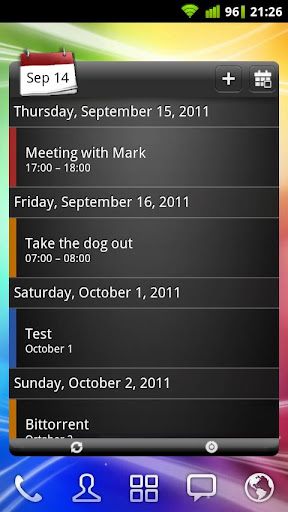
Agenda & Calendar

* Both Calendar grid list same widget.

* Syncs calendars: Google/HTC/LG/Mo.

* Grid Calendar support different styles: Colored busy mark, Singly busy mark text.

* Supports a powerful Quick Event Inserter feature similar ‘s Quick Add feature recognition capabilities!

People

* View home screen a grid.

* choose any contact group.

* contacts called first.

* Supports Android’s quick contact badge, Direct dial, Direct SMS.

* click action contact separately.

* Shows contacts pictures even from Facebook!

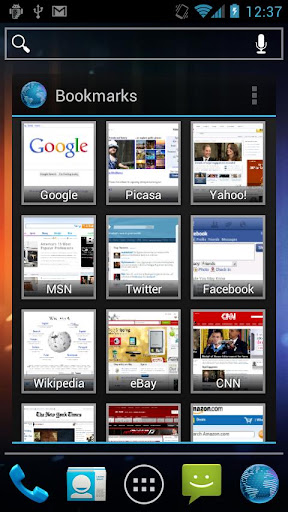
Bookmarks

* Direct access browser’s bookmarks.

* Supports both thumbnails grid list views.

Messaging

* View SMS messages.

* Direct access compose, Thread view, Mark all.

* Automatically updated SMS message.

Facebook

* View wall updates posts.

* Click any item detailed view comments, direct links, Like status .

* Quickly update status from screen.

Twitter

* View timeline updates, direct messages .

* Click any item detailed view tweet, allows reply, retweet message (if possible).

* Quickly tweet from screen.

Notes

=======

[1] T a widget package, app intended how add Android Pro Widgets v1.3.5 Unlockedhome screen.

[2] Inline scrolling 3.0 most alternative launchers (e.g. Launcher Pro, Go Launcher Ex, ADW Launcher, Home++, myHome Launcher). When scrolling supported launcher (e.g. Zeam launcher, HTC Sense, Samsung Touchwiz), first click button widget’s footer widget scrollable just until focus.

[3] Currently widget scrollable grid mode. Agenda view scrollable though.

[4] Event entering window setting selected calendar, calendar application settings instead.

[5] Reasons permission here http://androidpro Android Pro Widgets v1.3.5 Unlocked.blogspot.co…rmissions.html

[6] Screenshot widget contains images / FreeDigitalPhotos.net

[7] If any question please go website , leave us questions there us.

What’s Android Pro Widgets v1.3.5 Unlocked :

For any issue please email dr.appche@gmail.com

T bypasses a recent bug’s API most requests from Android .

Unlocked all paid Android Pro Widgets v1.3.5 Unlocked , No Pro key needed

play


https://play.google.com/store/apps/d…r. Android Pro Widgets v1.3.5 Unlocked .core

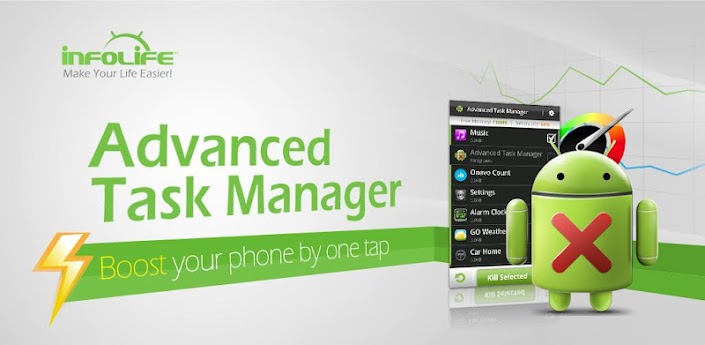
Advanced Task Manager Pro v3.0.2


Advanced Task Manager Pro
Requirements: Android v2.1 and up
Overview: Kill tasks,free memory,speed up phone,save battery.
ATM 2.0 with totally new UI is comming, and it's really cool!!!


  DOWNLOAD INSTRUCTION:-
PASS:-  ApkDownloads4u


Kill tasks,free memory,speed up phone,save battery.
ATM 2.0 with totally new UI is comming, and it's really cool!!!

#Feature
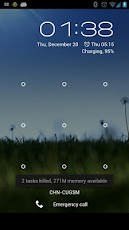
*Task killer, kill selected tasks
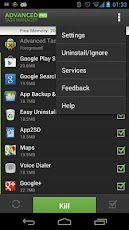
*Ignore apps when kill tasks
*Auto kill tasks on every screen off
*Regular kill
*Startup Kill
*One click task kill widget
*Quick uninstaller
*Show battery life
*Support android 1.5/1.6/2.2/2.3/3.x/4.0
*Ad Free

#Description
Advanced Task Manager (ATMGR or ATM) is basicly a task killer. It can list all the running tasks, and you can select some of them to kill. It is also a task manager tool to manage all the apps or running apps, you can long click on the task that you want to kill, and you will get a poped up menu with more options.

You may found that some apps are restarted again and again after killing, for some tasks are restarted by system events automatically. And we suggest that you enable Auto Kill in settings. Then it will kill tasks on every screen off. It will help to save battery and extend the battery life by terminating some apps that drawns too much battery.

There are many task killer apps in the google market. What is the difference between our app with other task killers? Basically our app killer list more apps then others, because the way we use to get system running task list is same as the android system panel. Another important difference is that we have an uninstaller feature in our task killer, and you can uninstall useless apps. Most of the task killers have one click widget, but our widget can show available memory. It's not default enabled, users should enable it in settings. Overall our app killer is the best one of so many task or app kill tools in the market.

Android >= 2.2 system changed the task manager machenism, and task killer cannot kill services and notifications when kill apps. If you want to kill tasks thoroughly, long click on the task that you want to kill, and click force stop, you will see the application info system panel, then click the force stop button. For android system >=2.2, click menu->service, you will see the running service system panel, and you can stop running services here.

Any problem, it's better to send feedback to us to get help then 1 star!

#FAQ
Q: Why do apps restart again after killing?
A: Some apps are restarted by system events and task killer apps cannot prevent them from restarting because of the limitation of the system. It is suggested to enable auto kill in setting, and it will kill tasks on every screen off. It will help to save battery life and release memory for the phone.

Q: How can I add app to ignore list?
A: You can long click on the task that you want to ignore, then you will get a poped up context menu, click "Ignore". The ignored apps will not be listed in the task list, and will never be killed by task killer. You can manage the ignored apps in setting.

Q: Is task killer meaningful for android?
A: Android 2.2 improved the task manager machenism and it is said that the task killer is meaningless for android. In my view it's partly true, in android 2.2, task killer tools is not powerful as it was in android 1.5-2.1, but it still can help to release memory and extend battery life by enabling auto kill. Our app is not only a task killer, it also can help to manage the running tasks and installed apps.

Q: How can I manage startup apps by app killer?
Our app killer has "Startup Kill", it can help you to kill apps on system startup.

#KW
task killer,taskiller,appkiller,taskkiller,task kill,task manager,task panel,taskpanel,app killer,app killer,app kill,app uninstaller,app remover,save battery,battery saver,free memory,free up memory,free up ram,ATK,ATM,ATMGR,startup kill,app closer,qq

What's in this version:
-v3.0.2
#Fix widget cut off bug
#Fix FC bugs
-v3.0.1
#Fix widget size bug
-v3.0.0
#New Android 4.0 style UI

This app has NO advertisements

More Info:
Code:
https://play.google.com/store/apps/details?id=mobi.infolife.taskmanagerpro

3D Christmas Live Wallpaper v2.06P on Mediafire


3D Christmas Live Wallpaper
Requirements: ANDROID 3.0 and up, Lucky Patcher
Overview: Let your phone count you down to the Christmas and the New Year! Or simply enjoy the magical effects all year round!


DOWNLOAD INSTRUCTION:-
PASS:-  ApkDownloads4u


App Screenshots


"3D Christmas Live Wallpaper" is a stunning 3D live wallpaper featuring a sparkling animated Christmas Tree of Light, and an exciting Countdown to Christmas and the New Year. Now with additional festive scenes you can enjoy all year round.

This version also features a Happy New Year scene with fireworks, a super realistic 3D Snow Scene, a magical Sky Lanterns scene to celebrate the Year of the Dragon, plus a bonus Valentine's day scene, and by popular demand a dedicated Fireworks scene! (That's 7 wallpapers in 1!)

All scenes come with countless customization options, and can be enjoyed both as a live wallpaper background, or as a fully interactive foreground app where you can look around freely, and quickly customise your settings.

This version contains *lots* of extra features and personalisation options including:
* The ability to pick and choose from your favourite scenes to display (Christmas Tree scene, Happy New Year scene, Countdown scene, Snow scene, Lanterns scene, Fireworks, Valentine's Day, or any combination).
* A range of vibrant colour schemes.
* A colour cycling mode that sweeps through all the colours of the rainbow.
* Amazing 3D Fireworks!
* Choose your favourite camera angles and 3D animation fly-bys.
* Option to count down in either rounded-up days (the traditional days-to-Christmas method), or a fully accurate and nail-biting Days, Hours, Minutes and Seconds method.
* Additional tree lights.
* Snowfall amount and speed.
* Display quality options for larger displays (tablets).
* Lots of performance options to run smoothly and save battery.
* Screen positioning and zoom options.
* Did we mention the amazing fireworks?
* New 32-bit colour mode for smoother colours on some devices.
* and lots more to play with!

Have Fun!

What's in this version:
20 December
Fix for Galaxy Tab 2 graphic issue(Jellybean)
Improved compatibility for some Android 2.3 Gingerbread devices.
The app now runs in fullscreen on devices that have a hardware menu button.
The Tree scene now scrolls as you swipe between home screens.
Minor translation corrections.

This app has NO advertisements

More Info:
Code:
https://play.google.com/store/apps/details?id=com.jetblacksoftware.xmastreewallpaperpaid

Unlock With WiFi v2.5.0 on mediafire


Requirements: for Android version 2.1 and higher
Overview: Unlock With WiFi provides convenience, security, and battery saving, all in one package!


DOWNLOAD INSTRUCTION:-
PASS:-  ApkDownloads4u


Unlock With WiFi unlocks your phone when you're connected to your home WiFi network. What does "unlock" mean? It means you don't have to enter your password/pattern/PIN when you turn on your phone. When you're at home, or work, you don't need to worry about losing your phone, so why should you have to enter your password?

How does it work?

When you get home and connect to your WiFi network, your device will unlock. Then when you leave, and the WiFi disconnects, the device will lock again. You have to enter your password the first time after you connect to your WiFi network. This is so that if someone steals or finds your phone, they can't just bring it to your house to unlock it. After you enter your password once while connected to your WiFi network, you won't have to enter it again until you leave/disconnect. This is great for SMS texting!

What else does it do?

You can also set a lock delay, for when you're not at home. The default delay is set to 5 seconds (you can adjust it), so when you turn the screen off, the device won't lock until 5 seconds have passed. That way, if you remember something you forgot to do, you can turn it back on without entering your password. This feature is considered experimental at this time. It works on most devices, but isn't guaranteed to work on all devices.

There are also battery saving options to:

Turn off WiFi when you leave home
Turn on GPS when you leave home*
Turn off GPS when you get home*
Turn on Bluetooth when you leave home
Turn off Bluetooth when you get home
Turn off Auto Sync when you leave home
Turn on Auto Sync when you get home

* This feature is experimental, and not guaranteed to work on all devices.

Works on tablets too!

IMPORTANT: If you have trouble with this app, please email me (unlockwithwifi@benhirashima.com) and I will respond right away. Don't give me a bad review until I have a chance to help you get it working!

Known Limitations:

WARNING: This app doesn't work on some phones. Please read this description carefully, and the FAQ.

This app won't work if your employer enforces a password policy on your phone. Many corporate Exchange email users have this.

Unlock With WiFi is incompatible with Juice Defender, Green Power, BatteryFu and other apps. See the FAQ.

Make sure to exclude Unlock With WiFi from your task killer apps, or it won't work properly.

Unlock With WiFi doesn't work on the Samsung Fascinate if it's been upgraded to Android 2.2 (stock Samsung ROM). It also doesn't work at all on the Samsung Charge.

See the FAQ for more details http://benhirashima.com/unlockwithwifi/faq

Tech support is only available in English.

What's in this version:
2.5.0 - Workaround for a bug in Android 4.2 where the app could not be uninstalled. Remember, you must still uninstall the app from the menu in Unlock With WiFi. The usual way is not sufficient.

This app has no advertisements

More Info:
Code:
https://play.google.com/store/apps/details?id=com.benhirashima.unlockwithwifi

Sky Cloud WiFi v2.0


Sky Cloud WiFi
Requirements: Android 2.1+
Overview: For free and unlimited WiFi access on your Android device, download the Sky Cloud WiFi app and follow the simple Sign Up.


DOWNLOAD INSTRUCTION:-
PASS:-  ApkDownloads4u


Sky Broadband Unlimited customers get free WiFi Hotspot from The Cloud

WiFi Hotspots from The Cloud lets Sky Broadband Unlimited, Connect and Fibre customers stay online with free and unlimited wireless internet in popular places throughout the UK.

For free and unlimited WiFi access on your Android device, download the Sky Cloud WiFi app and follow the simple Sign Up. When you’re out and about, the app will automatically connect your device to Cloud WiFi Hotspots when you’re in range so there’s no need to re-enter passwords or login details once you’ve signed up.


WiFi Hotspots from The Cloud gives you:

• Free and unlimited internet at all Cloud WiFi Hotspots throughout the UK.

• The ability to browse or email whilst waiting for the next train home and Sky TV customers can even watch TV from Sky in a coffee shop with Sky Go*.

• Cloud WiFi Hotspots in popular places including cafes, bars and train stations - including Pizza Express, Caffè Nero, Pret A Manger and JD Wetherspoons. Plus we’re adding more venues all the time.

• Peace of mind - no need to worry about using up your mobile data allowance as WiFi from The Cloud won’t cost you a penny.


It’s so easy to use

• Simple Sign Up using your Sky iD. Don’t worry if you’ve forgotten it, we can help

• Once you’ve signed up, your wireless enabled device will automatically connect when you’re in range of a Cloud WiFi Hotspot

• Register up to six wireless enabled devices including smartphones, laptops and tablets, so everyone in your home can get online when they’re out and about

• Find your nearest Cloud WiFi Hotspots with our handy Hotspot Finder

Get connected now

* Compatible device required. Experience varies by location and number of users. Selected National Rail stations.

More Info:
Code:
https://play.google.com/store/apps/details?id=com.bskyb.cloudwifi&feature=search_result#?t=W251bGwsMSwxLDEsImNvbS5ic2t5Yi5jbG91ZHdpZmkiXQ..

Secret Video Recorder Pro v2.16 on Mediafire free


Secret Video Recorder Pro
Requirements: Android 2.1+
Overview: Secret Video Recorder. No sound, preview. 1-touch operation. High quality video. Secret Video Recorder. No sound. No preview. One touch recording. High quality videos. Turn screen off and continue recording. Make and receive phone calls during recording.


DOWNLOAD INSTRUCTION:-
PASS:-  ApkDownloads4u


Secret Video Recorder is the ONLY hidden camera app in the market that does background recording so you can use your phone as normal and NO ONE can tell you are recording video.
Features:
1. One touch operation for recording start and stop
2. Full HD video (1920x1080) recording
3. Disable Notification icon so there is no screen indication that video is recording
4. Auto split video files so you can record up to all available space on SD card
5. Choose internal or external SD card for storing videos
6. Supports front and back camera
7. Very few permissions needed so privacy is assured
Additional Features:
1. On supported devices, start recording by long press of the search button
2. Talk on the phone while video recording continues in background
3. Turn screen off and continue recording (on supported devices only). Saves battery and allows long recordings
Uses:
1. Professional hidden camera
2. CCTV and security video recording
3. Surveillance camera
4. HD video recorder for Android
5. Background video recorder
6. Secret spy camera
7. Mobile hidden camera for Android
Known bugs:
1. Audio cannot be disabled on some phone (as it is required by local laws). You will need to root your phone to silence your phone
2. Some phones are not supported so send us an email with your model number and we will fix it
Secret Video Recorder is a simple spy camera for professional video recording and is the best app available in the Android market for spy video recording.

What's in this version:
** May need to uninstall and reinstall **
Update includes:
1. Fix for lower resolution (320x240) recording on some phones.
Next update will include:
1. Improved way to select external storage for storing recorded videos

This app has no advertisements

More Info:
Code:
https://play.google.com/store/apps/details?id=com.zeronoiseapps.secretvideorecorderpro

Lie Detector HD v1.05 on Mediafire free


Requirements: Android 2.1+
Overview: The successor to the legendary Lie Detector with over 1 million downloads!!


DOWNLOAD INSTRUCTION:-
PASS:-  ApkDownloads4u


The successor to the legendary Lie Detector with over 1 million downloads!!

The polygraph detects based on changes in blood pressure, pulse, sweat production of the finger and finger temperature if someone is lying or telling the truth.
Simply put your thumb on the impression scanner keep telling (or thinking) the truth and remove your thumb again after (!!) finished scanning.

Whats New:
fixed app crashes

This app has banner advertisements

More Info:
Code:
https://play.google.com/store/apps/details?id=de.sihidev.Luegendetektor2

Google Play Movies & TV v2.3.7 on mediafire


Google Play Movies & TV
Requirements: Android v4.0+
Overview: Rent movies on Google Play and watch instantly using the Google Play Movies app.


DOWNLOAD INSTRUCTION:-
PASS:-  ApkDownloads4u


Google Play Movies & TV allows you to watch movies and TV shows purchased on Google Play.
You can stream instantly on your Android phone or tablet, or download so you can watch from anywhere, even when you’re not connected. Also, get quick access to your personal video collection, including those taken on your phone or tablet.
Learn more about Google Play Movies & TV at http://play.google.com/about/movies
Note: TV shows are currently available in the United States only.

Recent changes:
Bug fixes

This app has no advertisements

More Info:
Code:
https://play.google.com/store/apps/details?id=com.google.android.videos

Finger Print Lock v2.4


Fingerprint Scanner Lock
Requirements: Android 2.0+
Overview: Finger Print Scanner Lock Screen.


DOWNLOAD INSTRUCTION:-
PASS:-  ApkDownloads4u


Finger Print Scanner Lock Screen.

ATTENTION 1: For those who don't understand how the app works, please read the description on how the app works. Please don't give it 1 star just because you don't understand how it works. The trick is to set up the number of cycles it will scan before it can allow you to unlock the phone. So if you choose 3 cycles then you wait for it to scan 3 cycles then take your finger off and boom you unlock the phone. Set this number below as it is your secret to unlock the phone.

ATTENTION 2:Some users are reporting that the app contains a "virus". This is NOT true. The reason is that these users use some antiviruses like Dr Web and others which detect apps with startapp advertising company as "adware".
Then these users falsely report virus to scare potential users who want to download the app. Furthermore the ads can be easily removed and this will not affect the use of app. So, i recommend to ignore the warning alerts.that the

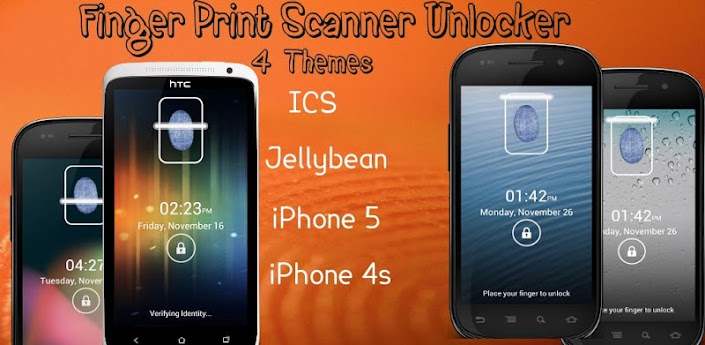
NEW: Added 3 New Themes. Now you can choose from 4 popular themes to set as wallpaper. Ice Cream Sandwitch, Iphone 5, Jelly Bean and Iphone 4S

Free Customizable Fingerprint Scanner to lock your phone!
Get the best customizable fingerprint scanner lock that actually works as a lock screen.
Trick your friends that your phone uses finger print to allow access to the home page.


HOW TO USE:
✓ Go to Settings and set the number of scans to unlock.
✓ Give your phone to an unsuspecting friend and tell him/her to unlock the phone.
✓ He will fail.
✓ Then since you know number of times to unlock it. Prove to him you can unlock it.

FEATURES:
✓ Has 4 different themes to choose. Ice cream sandwich , Jellybean, Iphone 5 and iphone 4S themes.
✓ You can set it to appear as phone unlock so it will start up immediately after your unlock the phone. By default it is not checked. if you want this feature go to menu item settings and check set as lock screen.
✓ Customization options - You set the rules and hence you are the only one who knows the trick to unlock.

Important
We want to keep our apps completely free as well as clean of intrusive and push ads which users don't like while we keep it updated with more and more features. In order to keep the app 100% free, you will receive the following –
Search shortcut icon on your home screen (see image below).
Search shortcut on your bookmarks.
This will help keep this app 100% free and help us bring you more cool apps like this in the future.
You can delete the search shortcuts easily (Drag & Drop to the garbage), this will not affect the application in anyway.

Whats New:
Version 2.9
NEW: Added 3 New Themes. Now you can choose from 4 popular themes to set as wallpaper. Ice Cream Sandwitch, Iphone 5, Jelly Bean and Iphone 4S
Fixed bugs. Thanks all for reporting.
Trick better explained.

This app has banner advertisements

More Info:
Code:
https://play.google.com/store/apps/details?id=com.droidappsolutions.fingerprintscanner

Default YouTube v4.2.16 mediafire


YouTube
YouTube v4.2.16
Requirements: Android 2.2+
Overview: The latest version of the official YouTube app.


DOWNLOAD INSTRUCTION:-
PASS:-  ApkDownloads4u


The latest version of the official YouTube app.
Keep up with your favorite YouTube channels and access the world’s videos anywhere with the official YouTube app for Android.

What's in this version:
* Revamped UI for 10'' tablets
* Bug fixes for all devices

This app has NO advertisements

More Info:
Code:
https://play.google.com/store/apps/details?id=com.google.android.youtube

Cool Reader v3.1.2-27 mediafire


Requirements: Android v2.1+
Overview: eBook reader. Supports epub (non-DRM), fb2, doc, txt, rtf, html, chm, tcr, pdb, prc, mobi (non-DRM), pml formats.


DOWNLOAD INSTRUCTION:-
PASS:-  ApkDownloads4u


eBook reader. Supports epub (non-DRM), fb2, doc, txt, rtf, html, chm, tcr, pdb, prc, mobi (non-DRM), pml formats.

Pages or scroll view. Page flipping animation.
Table of contents, bookmarks, text search.
Bookmarks on text fragments (comments or corrections) - useful for proof reading.
Export of bookmarks to text file.
Built-in file browser, quick recent books access.
Online catalogs (OPDS) support.
Text to Speech (TTS) support.
Hyphenation dictionaries;
Most complete FB2 format support: styles, tables, footnotes.
Additional fonts support (place .ttf to /sdcard/fonts/)
Support for Chinese, Japanese, Korean languages; autodetection of TXT file encoding (GBK, Shift_JIS, BIG5, EUC_KR).
Day and night profiles (two sets of colors, background, backlight levels).
Brightness adjustments by flick on left edge of screen.
Background texture (stretched or tiled) or solid color.
Paperbook-like page turning animation or "sliding page" animation.
Dictionary support (ColorDict, GoldenDict, Fora Dictionary, Aard Dictionary).
Customizable tap zone and key actions.
Autoscroll (automatic page flipping) - start using menu/goto/autoscroll or assign action Autoscroll on key or tap zone; Change speed using volume keys or bottom-right and bottom-left tap zones; stop - tap any other tap zone or key.
Can read books from zip archives.
Automatic reformatting of .txt files (autodetect headings etc.)
Styles can be customised in wide range using external CSS.
Select text using double tap (optional).

Similar to FBReader, Aldiko, AlReader, Nook, Laputa, Moon+ reader.

Place additional textures to /sdcard/.cr3/textures/ -- to be used as tiled page backgrounds.
Place additional textures to /sdcard/.cr3/backgrounds/ -- to be used as stretched page backgrounds.
(/cr3/ directory can also be used instead of /.cr3/, and internal SD or internal storage instead of /sdcard/)

CoolReader is free, open source (GPL), multiplatform project.
Project homepage on SourceForge is http://sourceforge.net/projects/crengine/
To donate this project, you can buy Cool Reader Gold ($10), Silver ($3) or Bronze ($1) Donation package from Market
PayPal: coolreader.org@gmail.com

Recent changes:
- Crashes fixed.
- Fix for bookmark underlining
- CSS support fix.
Less description »

Latest version: 3.1.2-21 (for Android version 2.1 and higher, supports App2SD)

This app has NO advertisements

More Info:
Code:
https://play.google.com/store/apps/details?id=org.coolreader

CameraPro (CameraX) 2.0 v2.38 on Mediafire


CameraPro (CameraX) 2.0
Requirements: Android 2.2 and up
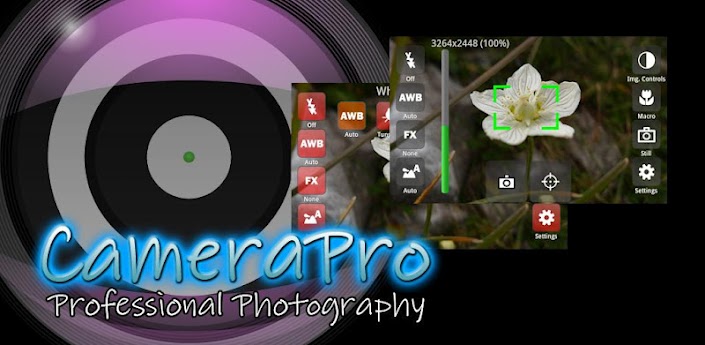
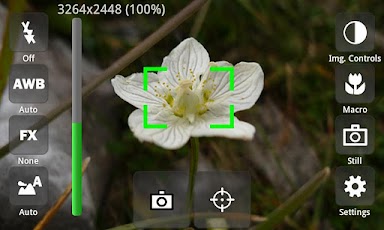
Overview: CameraPro (previously known as "CameraX") offers fast access to your mobile's camera capturing and video recording features. It is highly customizable including different designs and menu arrangements. Pictures can be directly uploaded from CameraPro to Facebook, Flickr, Picasa, and Twitter.


 DOWNLOAD INSTRUCTION:-
PASS:-  ApkDownloads4u


CameraPro (previously known as "CameraX") offers fast access to your mobile's camera capturing and video recording features. It is highly customizable including different designs and menu arrangements. Pictures can be directly uploaded from CameraPro to Facebook, Flickr, Picasa, and Twitter.
CameraPro on Facebook: http://www.facebook.com/CameraProApp
Problems, questions, feature requests, feedback? Drop me a line on office@tequnique.com or use the contact form on http://s.meh.at/camerapro
The following list gives an overview over the features. PLEASE NOTE that features marked with "*" vary between different phone models!
Camera Modes:
- Still (normal mode)
- Video / expert video mode (HD video greater than 720x480p is in Beta and works only on some phone models)
- Self-timer
- Time-lapse: record time-lapse picture series (Android 3.0+: record time-lapse videos too)
- Burst: shoot a set of pictures as fast as the phone supports
- Bracketing: take up to 10(!) different exposed images (can be used for HDR stitching with other apps)
- Anti-shake: take pictures exactly in the moment when the phone is not moving
Picture contols:
- Focus (autofocus, macro, infinity, continuous autofocus, face detection,...)*
- White balance*
- Flash (including videolight)*
- Effects (such as mono, negative, solarize, aqua,...)*
- Scene modes (night, landscape, portrait, beach, snow, fireworks, sports, party, candlelight, text,...)*
- Image controls (exposure compensation, brightness, contrast, sharpness, saturation)*
- ISO*
- Metering mode*
- Antibanding*
Overlays
- Grid (customizable)
- Level meter/virtual horizon with indicator*
- Compass*
- Touch focus (Android 4+)*
- Zooming*
Expert video mode (excerpt)
- Automatic bypassing of recording time respectively file size limit by means of file splitting (short gap possible between files)
- Disable audio recording
- Adjust audio channels, sampling rate, audio/video bitrates, frame rates, audio/video codecs, video container format, video dimensions*
- Supports 1080p video recording (e.g. Galaxy S2)*
Settings (excerpt)
- Use volume keys, hardware shutter, trackball, and touch buttons for capturing and focusing*
- Set CameraPro as default camera app*
- Disable shutter sound
- Fullscreen viewfinder*
- Back/front camera (front camera does not support video recording yet)*
- Image compression quality
- Different arbitrary storage locations for video and photos including customizable filenames
IMPORTANT LIMITATIONS
- For video resolutions greater than 720x480 set focus mode to "Continuous" if available. Else recording might start delayed (app looks as if it hangs for some seconds on the Samsung Galaxy S2)
- Zooming and picture controls can only be modified BEFORE video recording
- Changing from continuous autofocus to some other focus mode can be very slow
- Sometimes the direct HD video preview in the video player (started from CameraPro) shows only a black screen. When the player is started manually the video play back is fine.
- If updating from CameraX fails, uninstall CameraX before installing CameraPro.
- Video recording on some HTC devices and on all devices with Android 2.2 and older is only partly supported
HTC/Distorted Pictures:
- Some still picure resolutions on some HTC devices are distored (e.g. 16:9 resolutions). Enable the "HTC fix" under settings to fix.
LG/Viewfinder orientation:
- On some devices the viewfinder orientation is wrong (e.g. LG P500). Enable "Orientation fix" under settings to fix.

What's in this version:
2.3.7
- Mini preview bug fix

This app has NO advertisements

More Info:
Code:
https://play.google.com/store/apps/details?id=com.tequnique.camerax

aTorrent PRO v2.0.0.8 mediafire


Requirements: Android 2.1 and up
Overview: aTorrent - Bit Torrent Software. Download big files right to your pad or phone!


DOWNLOAD INSTRUCTION:-
PASS:-  ApkDownloads4u


aTorrent - Bit Torrent Software. Download big files right to your pad or phone!

aTorrent PRO - Native P2P BitTorrent Software for Android devices. Download files with ease right to your phone or tablet!
Professional (Ad-free) version.

Features:
* Torrent search dialog
* Open torrents right from browser
* Magnet links support
* Add torrent from file
* Choose download folder
* Partial download (choose files from torrent)
* Multiple parallel downloading
* Option to limit downloads by Wi-Fi
* Option to pause downloads when external power supply is not connected
* Supported protocols: BitTorrent P2P, DHT, Advanced DHT Bootstrap, Magnet links, HTTP & UDP Trackers

What's in this version:
2.0.0.8
- Improved application stability
2.0.0.7
- Fixed few bugs
- Improved application stability (if you have problems with just reinstall aTorrent)
2.0.0.6
+ Audio & video players notification about new files
- Few bugs fixed
2.0.0.0
Absolutely new version. Fast speed and new UI.
You will need to add torrents again.
! If you have installed any Free RAM/Task manager application, then add aTorrent to it's exclusion list to avoid unloading from memory and stop downloading.

This app has no advertisements

More Info:
Code:
https://play.google.com/store/apps/details?id=com.mobilityflow.torrent.prof

Advanced Mobile Care v1.0.1 apk Mediafire

Advanced Mobile Care
Requirements: 2.2 and up
Overview: The Coolest App to Boost and Secure Your Mobile Phone!


DOWNLOAD INSTRUCTION:-
PASS:-  ApkDownloads4u


Advanced Mobile Care is an all-in-one Android security and performance optimization app that performs real-time malware scans while also featuring a powerful Game Speeder, Battery Saver, App Manager, Task Killer and Privacy Locker. Download for FREE and get the most out of your Android device!

With its sleek design and powerful features, Advanced Mobile Care gives Android users an excellent way to protect their smartphones from Android security and performance problems. With Advanced Mobile Care, your device will receive automated protection and system tune-ups like Malware Removal, Privacy Protection, and Operating System Cleaning in addition to an extensive toolbox of system utilities.

Key Features:
● Mobile Anti-virus:
One touch anti-virus scan can protect your device from viruses, spyware, Trojan horses, worms, suspicious apps and provides real-time protection from malware attacks when downloading a new app or unknown file. Keep your operating system protected and secure.
● System Tuneup:
One touch scan to clean memory, cache and junk files to boost your phone's operating speed.
● Game Speeder:
Launch games with Game Speeder to make games run smoothly and without lag or game-play disturbance.
● Battery Saver:
Provides 3 battery saving modes to extend battery life as well as inform users about which apps consume the most battery power.
● App Manager:
Uninstall apps or transfer apps to your SD card. Sort apps by name, size or use frequency to identify large or unnecessary apps for removal.
● Task Killer:
Quickly shut off memory intensive and battery hogging apps with one touch.
● Privacy Locker:
Hide, lock, and protect your private photos, videos and files with a password.
● Widget:
Perform quick scans directly from your Android desktop.

Available Languages:
English, Русский, العربية, Italiano, Suomi, Türk, Nederlands, Slovenščina, Biélorusse, Vietnamien, Español, 中文(简体), 中文(繁體), 日本語

What's in this version:
● Auto startup
● Added real time virus protection tips
● Accelerated and optimized scan speed
● Optimized App Manager, widget and notification
● Added a Română, Deutsch, Français, Česky, საქართველოს, فارسی language pack
● Other tweaks and bug fixes
● Support x86 Android Phone

This app has no advertisements

More Info:

Code:
https://play.google.com/store/apps/details?id=com.iobit.mobilecare

Screencast Video Recorder FULL v3.2a [Offline] apk on Mediafire


Requirements: Android version 2.2 and higher
Overview: Screencast captures your phone screen at high frame rates into a high quality MPEG4 video with audio. It can also take snapshots of your screen by holding the search key on your phone.


DOWNLOAD INSTRUCTION:-
PASS:-  ApkDownloads4u


** Root Needed
** Does not work on Google Nexus or Tegra 2/3 yet

This program includes a gallery to view, play, rename, delete and share your previously recorded videos or screen shots from within the same user interface.

Please contact the developer if you have question or issues, before rating the app low. The developer cannot help you if you only post a review and do not email for support.
You can also hit "Menu" and select "Report a problem" to get support.

**IMPORTANT: Media Solutions understands that the 15-min refund period is not long enough to test all the app's functionality. For this reason, we are extending the refund period to 24 hours. Please make sure you contact the developer if you encounter problems, and in case of needing a refund before the 24 hours grace period.


**This app complies with the LGPL as it uses libavcodec by FFMPEG for the encoding process. The sources used are from ffmpeg-0.8 release, and compiled without modification.

Recent changes:
v3.2a:
+ Security Patch (Thanks JCase)
+ Option To Disable Shutter Sound
+ Option To Vibrate On Screenshots
+ Fixed Touch Pointer On HTC Phones
+ Fixed Touch Pointer on Bionic
+ Fixed Elusive License Bug
v3.0e:
+ Temporarily disabled touch tracking on HTC phones. Fix coming soon.
v3.0:
+ Touch Capture: Screencast now can capture your touch input and overlay a customizable pointer/icon.
+ Option To Hide Recording Notification
+ Nook Tablet Compatibility
+ A Bundle Of Bug Fixes And Tweaks

This app has NO advertisements

More Info:

Code:
https://play.google.com/store/apps/details?id=com.ms.screencast

Maildroid Pro v2.77 apk on Mediafire Free

MailDroid Pro

Requirements:Android 1.5+
Overview:MailDroid is your IMAP Idle and POP3 replacement for the default client!


DOWNLOAD INSTRUCTION:-
PASS:-  ApkDownloads4u


[u]MailDroid is your IMAP Idle and POP3 replacement for the default client!

MailDroid is an ad-supported Webdav/POP3/IMAP Idle Push mail client written from the ground up and and not based on the stock Android mail client.

This is the Pro version of MailDroid and contains no ads. The pro version will contain some extra features that are not available in the ad version. Support for the pro version is the same as for the ad version (email only and no phone).

*****

"For Android users looking for the best alternative to the stock mail client, it would be difficult to look beyondMailDroid, and it's what we now use ourselves" - App2Review.com

*****

PLEASE DOWNLOAD AND TRY THE AD VERSION BEFORE BUYING. THE AD VERSION IS FREE!!!!

ACTIVESYNC AND CALENDAR IS NOT SUPPORTED YET!

*INSTRUCTIONS FOR PEOPLE WHO ARE USING THE AD VERSION*
1. Export your settings to your SD card (you must have version 1.70+ which has this feature) from the global preferences screen
2. Uninstall MailDroid Ad version (you don't need it anymore and can uninstall it at any point)
3. Install MailDroid Pro
4. On the accounts screen, import your settings

*NOTES*
1. MailDroid Pro does not require the extra permissions required for ads
2. MailDroid Pro does not require the extra ad required files and is therefore a smaller file
3. MailDroid Pro uses less memory and cpu because no ads are shown
4. MailDroid Pro uses less bandwidth and data because no ads are shown

*ADDITIONAL FEATURES IN PRO*
1. Up/Down arrow in email to move to next or previous emails
2. Ability to set where to go after deleting an email (next/previous or back to inbox)
3. Two Widgets
4. More will be coming....


This app has NO advertisements

More Info:

Code:
https://play.google.com/store/apps/details?id=com.maildroid.pro


Scanner Radio Pro v3.8.4 build 97 Free Mediafire

Scanner Radio Pro

Requirements: Android 1.6 and up
Overview: Listen to police and fire departments from around the world on your phone.


DOWNLOAD INSTRUCTION:-
PASS:-  ApkDownloads4u


Listen to live audio from over 2,900 police and fire scanners, weather radios, and amateur radio repeaters from around the world (with more being added daily).

Features:
* Add scanners you listen to the most to your Favorites list for quick access.
* View scanners that are located nearest you, sorted by distance, by clicking on "Near Me"
* View the top 50 scanners that have the most listeners (updated every 5 minutes).
* View list of scanners added most recently (new additions are being added all the time).
* Browse the directory of scanner feeds by location or by genre (public safety, weather, railroad, etc).
* Configure alerts to have the app notify you when lots of people are listening to a scanner (indicating that something big may be happening).
* Add Scanner Radio widgets and/or shortcuts to your phone's home screen for quick access.
* Add a "Scanner Radio Favorite" shortcut to your home screen to launch a scanner feed via an alarm clock app or automation app.

In addition to the above features, you also get the following features with this version of the app:

* The ads are removed.
* Allows you to specify what times of day you want to receive listener alerts.
* Allows you to setup listener alerts for scanners located near you.
* The play button at the top of the directory screens and on the widgets is functional.
* Allows you to listen to archived audio (from the past 30 days) if you have a RadioReference.com Premium Subscription. Their premium subscription is $15 for 6 months, without it you will not be able to access their audio archives using the app.

What's in this version:
Added a new button to the player screen which can be used to report audio problems (the icon is a triangle with an exclamation point in it).
Added the ability to configure listener alerts for scanners that are not hosted by Broadcastify.com/RadioReference.com.
Fixed a bug that caused the "Tapping on the player screen" setting "mutes/unmute audio" to not work properly when the "Volume control..." setting was set to "Control device's media volume".

This app has NO advertisements

More Info:

Code:
https://play.google.com/store/apps/details?id=com.scannerradio_pro

Tapatalk HD for Android v0.3 Free Mediafire

Image
Requirements: Android 4.0+
Overview: Tapatalk contains all the features and capabilities found in your favorite browser but in a simple, straight-forward delivery. Easily see who is online, view board statistics, and even user profiles all without waiting for your phone's browser to connect to the Internet. Give it a try today.

DOWNLOAD INSTRUCTION:-
PASS:-  ApkDownloads4u


This app has NO advertisements

More Info:

Code:
http://support.tapatalk.com/threads/tapatalk-hd-for-android-version-0-3-download-and-feedback.14732/

TweetCaster Pro for Twitter v6.9.0 Free Mediafire

TweetCaster Pro for Twitter

Requirements: Android 1.5 and up
Overview: This is the ADS-FREE version! The #1 Twitter app for Android with the most features of ANY Twitter app. And the only app with “Zip It”.


 DOWNLOAD INSTRUCTION:-
PASS:-  ApkDownloads4u


Millions of downloads! Lightning fast with a clean and attractive user interface.

“Excellent Twitter client.”
– TUAW

“Contender for best Twitter app. 5/5 bars.”
– Appolicious

“Nicely designed… Colorful but clean.”
- CNET

New innovations:
* Zip It – zip annoying tweeters or Twitter trends from your timeline without unfollowing
* Instapaper support – Save long stories to Instapaper to read later
* Color code tweets – Choose a custom color for your tweets and mentions

Plus the most features, all for FREE:
* Simultaneously post to Twitter and Facebook
* Multiple Twitter account support
* Multiple widgets
* Retweet with or without comment
* Twitlonger service
* Conversation thread view
* Twitter lists
* Customized Twitter notifications
* Enhanced search functionality (including user and nearby search)
* Suggested Users (suggests people to follow)

What's in this version:
+ SmartLists is now available on tablets
+ Image upload services have been added: img.ly, MobyPicture, imgur, and TwitrPix
+ Image preview support for Camera+ and spic.kr photos
+ Timeline Options added for phone: Jump to TweetMarker and Hide Retweets
+ Timeline unread count updates as you read new tweets

This app has NO advertisements

More Info:

Code:
https://play.google.com/store/apps/details?id=com.handmark.tweetcaster.premium

Twitter Delicious Facebook Digg Stumbleupon Favorites More

 
Design by Free WordPress Themes | Bloggerized by Lasantha - Premium Blogger Themes | Powerade Coupons